
How to compare AI image art styles without losing control
Random style prompts are hard to compare. If every prompt uses different words, colors, and constraints, you cannot tell whether the style caused the result or the whole brief did.
BYOBanana handles art styles as repeatable prompt recipes. Choose up to three recipes, keep the subject and color palette fixed, and compare the generated candidates in one contact sheet.
Open BYOBanana and compare Nano Banana art styles side by side
What is an art style recipe?
A BYOBanana recipe is a structured prompt template. It wraps your subject brief and chosen palette in a fixed set of style instructions.
Recipes are not:
- Fine-tuned models
- LoRAs
- Guaranteed visual presets
- Copies of a named living artist
They are repeatable instructions sent to a selected Google Gemini image model. The same recipe can make a series feel more related, but the model still interprets every request and results vary.
The current image art styles
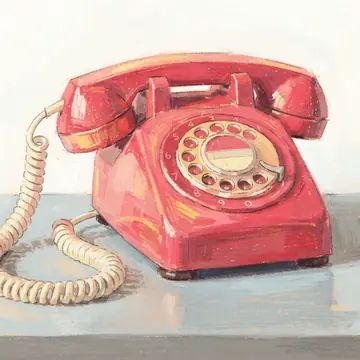
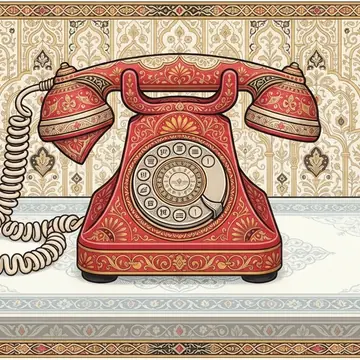
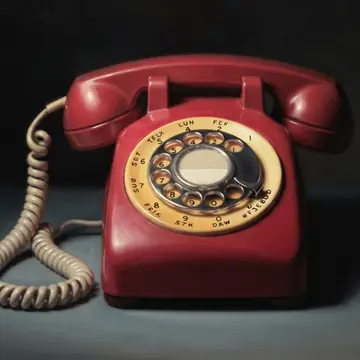
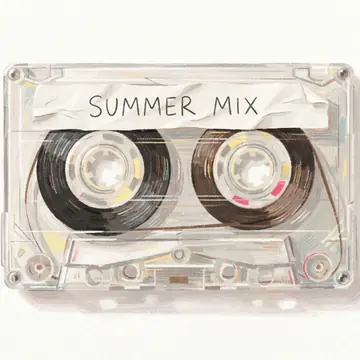
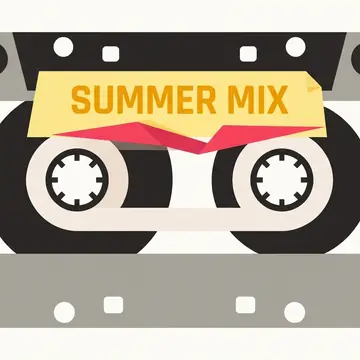
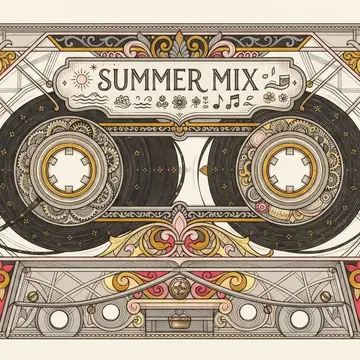
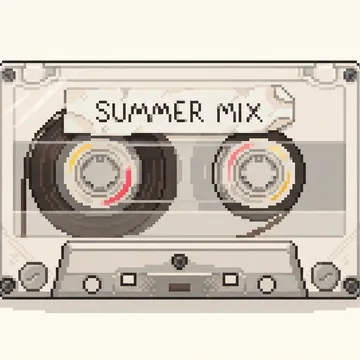
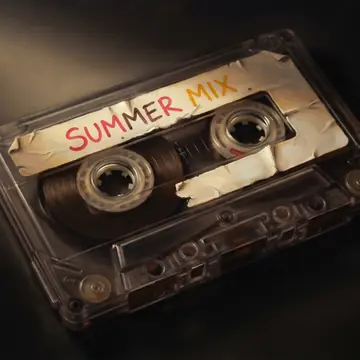
The five image recipes below render the same three subjects with one fixed palette (Sunlit coral) and two variants each. Read down a column to see a single style across subjects; read across a row to compare five styles on the same object. Each cell shows the stronger of its two candidates.
Rotary telephone


Cassette tape
Canvas sneaker
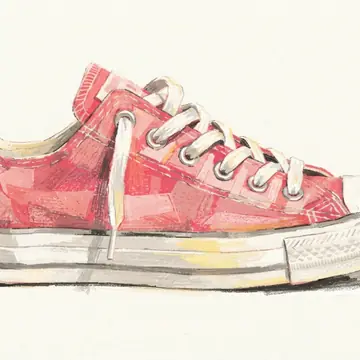
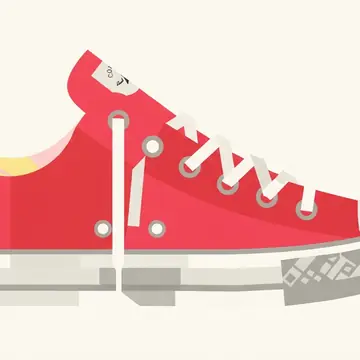
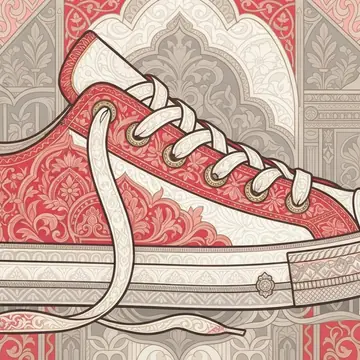
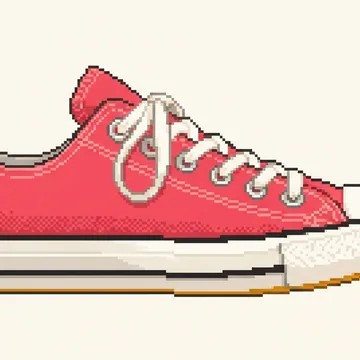
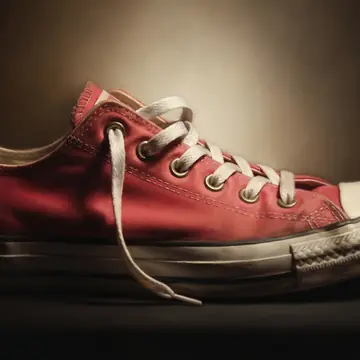
All 30 images generated with Nano Banana 2 Lite on July 17, 2026, for about $1.42 total.
A sixth image mode, Custom image, is left out of this grid on purpose: it gives full manual control, using the subject field as the complete prompt with no bundled style instructions, so there is no repeatable recipe to compare.
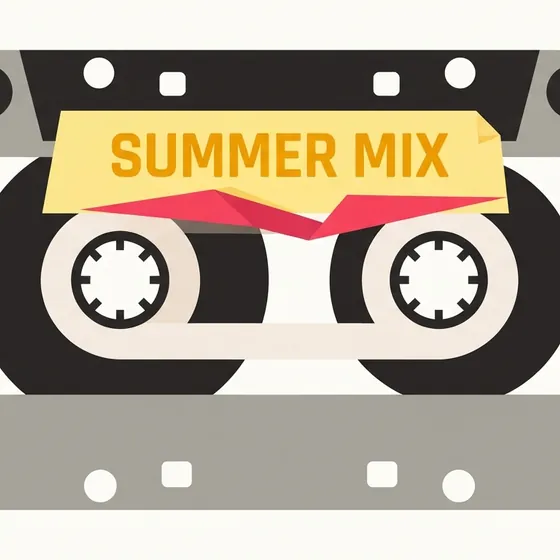
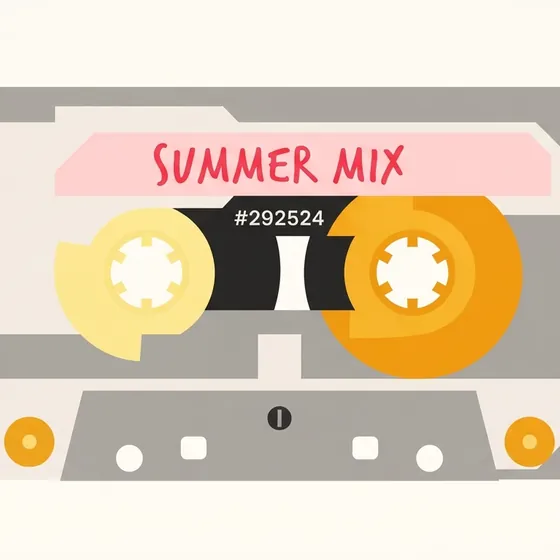
What stays stable across a row is the subject and palette; what changes most is composition and texture. The ornamental recipe reframes each object inside dense borders, while the screenprint recipe flattens it to a few shapes. The pixel and screenprint recipes hold the coral palette most literally; the oil-realism recipe reads it as warm light rather than flat color.
Curated project-icon recipes
The five project-icon recipes take one brief (a compact icon for a developer tool that compares database migrations), and each renders a square composition that survives a circular crop.


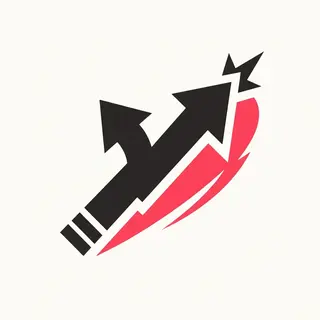

One controlled comparison: the subject brief, Sunlit coral palette, #FFFDF7 background color, Nano Banana 2 Lite model, and generation settings were held fixed across all five cells; only the recipe changed. Each cell shows the strongest of its sampled candidates.
A Custom icon mode is likewise left out: same full manual control, plus the same circular PNG export.
Seven fixed color palettes
The palette picker passes exact hex colors into each compatible recipe.
| Palette | Direction |
|---|---|
| Folio teal | Cool zinc neutrals with a teal accent |
| Ink & ochre | Restrained warm editorial colors |
| Coastal blue | Stone neutrals with sky and cobalt blues |
| Sunlit coral | Warm paper, amber light, and coral accents |
| Garden green | Botanical greens with deep forest neutrals |
| Orchid dusk | Violet and orchid accents with quiet neutrals |
| Pastel prism | A broad spectrum for airy, layered artwork |
A palette in a prompt is a target, not a pixel-level lock. Models may blend, shade, or introduce nearby colors. Evaluate the actual output instead of assuming exact compliance.
Style and palette solve different problems
Style controls the visual language. Palette controls the requested color system.
For example, a hard-edge screenprint recipe can use Coastal blue or Sunlit coral without becoming a different medium. A fixed palette across several recipes lets you compare visual languages while keeping color direction relatively stable.
Use this matrix when planning a run:
| Question | Keep fixed | Change |
|---|---|---|
| Which style suits this subject? | Subject, palette, model, settings | Recipe |
| Which palette suits this style? | Subject, recipe, model, settings | Palette between runs |
| Which composition is strongest? | Subject, recipe, palette, model | Variant |
| Does a reference improve direction? | Subject, recipe, palette, model | Reference input |
Learn how to structure and compare an image-variation batch
A controlled same-prompt style test
1. Choose a subject with visible structure
Use a brief that gives every recipe something concrete to interpret. Include the intended use and constraints.
Example:
An editorial illustration about maintaining old software. A careful mechanic repairs a large mechanical clock assembled from code windows. Clear focal subject, room for a headline, no readable text.
2. Choose one palette
Hold the palette fixed for the complete style comparison. Otherwise color mood can drown out the differences in medium and composition.
3. Select up to three recipes
Start with recipes that pull in clearly different directions. Three near-neighbors tell you less than pastel illustration, screenprint, and oil realism side by side.
4. Use two variants per recipe
One image can misrepresent a recipe because generation is probabilistic. Two candidates show whether a result is a repeatable direction or a lucky exception.
5. Keep all other settings fixed
Use the same model, size, aspect ratio, reference inputs, and search setting. Record the settings with the gallery.
6. Score the candidates against the job
Do not select only by visual novelty. Check:
- Does the subject read immediately?
- Does the style support the intended context?
- Does the palette remain recognizable?
- Is there enough room for surrounding layout?
- Does detail survive at the intended display size?
- Did the model introduce unwanted text?
The gallery at the top of this page shows results from an unretouched BYOBanana run of that test.
How to create a more consistent AI image style
Repeatable recipes help, but consistency comes from the complete workflow.
Keep the recipe version stable
Changing the recipe wording changes the test. Save the rendered prompt, or export the run as a ZIP that records exactly how it was made, when a direction matters.
Reuse the same palette
Exact hex values reduce ambiguous color naming. They do not guarantee exact pixels, so reject outputs that drift too far.
Keep model and settings stable
Model updates and model switches can change interpretation. Record the model ID and date for important production work.
Use references deliberately
A reference can anchor composition, subject, or visual direction, but those goals can conflict. Say what the reference is for instead of hoping the model guesses.
Compare before refining
Choose the broad visual direction first. Refine details after selecting a recipe, otherwise each candidate becomes a different experiment.
Frequently asked questions
What art styles can an AI image generator create?
Modern image models can interpret many photography, illustration, print, pixel-art, painting, and 3D directions. BYOBanana ships five curated image-art recipes, five curated project-icon recipes, and custom modes for each family.
Can I use the same prompt with different art styles?
Yes. BYOBanana renders the same subject through up to three selected recipes and shows the candidates together. Keep the palette and model settings fixed for a cleaner comparison.
Can an AI image generator follow a custom color palette?
It can use exact palette colors as prompt constraints, but compliance is not guaranteed. Generated shading and blending may introduce nearby colors. Review the output at full size.
Do recipes train a custom AI model?
No. BYOBanana recipes are structured prompt templates. They do not train, fine-tune, or modify Google's models.
Can art style recipes guarantee consistent characters?
No. A shared recipe helps maintain visual direction, not exact identity. Use references and fixed settings, then inspect every candidate.
Can I write my own style prompt?
Yes. Custom image and Custom icon modes use the subject field as the complete prompt and do not apply a bundled style or palette.
Compare a real batch
Choose one subject, hold the palette steady, and test up to three art directions in one contact sheet.
Google AI Studio key required. Google API charges apply.